
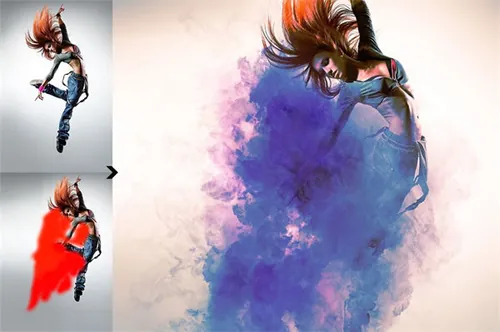
PS动作 烟雾合成酷炫的彩色云彩运动特效(含教程)Cloud Acti
如果链接失效请添加客服QQ:985303259
进行反馈!直接说出您的需求
切记带上资源链接及问题
如有其它疑问请点击文章底部的【常见问题】
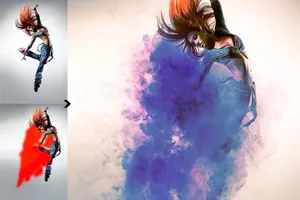
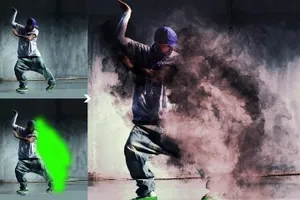
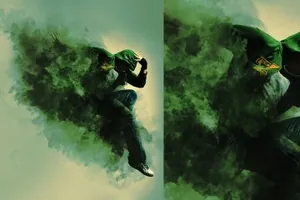
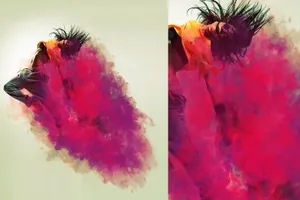
Create this highly detailed effect from your photos.
Full customization. CUSTOMIZATION VIDEO TUTORIAL ABOVE
Save your time using this Photoshop action.
The action has been tested and working on Photoshop CS6, CC+
For any help contact me freezerondigital@gmail.com
How to configure Photoshop to work with actions.
Make sure you are using the English version of Photoshop. Each action has been created and optimized to work only with the English version of Photoshop, so please make sure that you are using this version. If not, don’t worry: you can change the language of your version of Photoshop to English (and switch back again) using this really simple method: https://youtu.be/GJAiu5W2gLE
Use the RGB Mode and 8 Bits color. To check these settings, go to Image-Mode and check the “RGB color” and “8 Bits/Channel”.
Make sure that the option “Add ‘copy’ to Copied Layers and Groups” is turned on. This option applies only to CS5 and later versions of Photoshop. On the “LAYERS” panel, click on the menu icon, go to “Panel Option”, and check that the “Add ‘copy’ to Copied Layers and Groups” is turned on. Set the Opacity and Flow of brush to 100%. Select the “Brush Tool” and move the opacity and flow slider to 100%.
You may also like:
Watercolor Photoshop Action: https://crmrkt.com/OlxBE
Space Photoshop Brushes: https://crmrkt.com/jv6R8
50 Duotone Actions: https://crmrkt.com/JeAXr
55 Minimalistic Watercolor Backgrounds: https://crmrkt.com/D1wy4
兼容软件:Photoshop
商业许可:仅限学习交流,不可商用


本站资源仅供研究、学习交流之用,若使用商业用途,请购买正版授权,否则产生的一切后果将由下载用户自行承担。
图穷联素材库 » PS动作 烟雾合成酷炫的彩色云彩运动特效(含教程)Cloud Acti